%20scale(1)'%3e%3cpath%20d='M42%2024%20L78%2024%20L98%208%20L104%2042%20L104%2070%20Q104%2094%2080%2094%20L46%2094%20L20%20112%20L26%2090%20Q16%2084%2016%2068%20L16%2042%20L22%208%20Z'%20fill='%2315293D'%20stroke='%2315293D'%20stroke-width='8'%20stroke-linejoin='round'/%3e%3ccircle%20cx='43'%20cy='55'%20r='17'%20fill='%23FFFFFF'/%3e%3ccircle%20cx='77'%20cy='55'%20r='17'%20fill='%23FFFFFF'/%3e%3ccircle%20cx='45'%20cy='56'%20r='11'%20fill='%23F4A62A'/%3e%3ccircle%20cx='75'%20cy='56'%20r='11'%20fill='%23F4A62A'/%3e%3ccircle%20cx='46'%20cy='56'%20r='5.5'%20fill='%2315293D'/%3e%3ccircle%20cx='74'%20cy='56'%20r='5.5'%20fill='%2315293D'/%3e%3cpath%20d='M54%2072%20L66%2072%20L60%2082%20Z'%20fill='%23F4A62A'%20stroke='%23F4A62A'%20stroke-width='3'%20stroke-linejoin='round'/%3e%3c/g%3e%3cg%20transform='translate(156%20107.3)'%3e%3cpath%20d='M22.30%200L6.20%200L6.20-72L22.30-72L22.30-55.50Q22.30-53.50%2022.15-51.35Q22-49.20%2021.65-46.95Q21.30-44.70%2020.95-42.40Q20.60-40.10%2020.10-37.90L22.50-37.90Q23.90-42.80%2026-46.45Q28.10-50.10%2031.50-52.15Q34.90-54.20%2040.20-54.20Q49.60-54.20%2054.25-47.65Q58.90-41.10%2058.90-27.50L58.90%200L42.70%200L42.70-24.80Q42.70-32.90%2040.35-36.95Q38-41%2033.20-41Q29.50-41%2027.10-38.70Q24.70-36.40%2023.50-32.55Q22.30-28.70%2022.30-24M91.30%201.40Q83.30%201.40%2077.15-1.70Q71-4.80%2067.50-11Q64-17.20%2064-26.50Q64-35.80%2067.50-41.95Q71-48.10%2077.20-51.15Q83.40-54.20%2091.40-54.20Q99.40-54.20%20105.60-51.10Q111.80-48%20115.30-41.85Q118.80-35.70%20118.80-26.40Q118.80-16.90%20115.20-10.70Q111.60-4.50%20105.35-1.55Q99.10%201.40%2091.30%201.40M91.80-10.30Q95.40-10.30%2097.80-11.95Q100.20-13.60%20101.40-17Q102.60-20.40%20102.60-25.40Q102.60-30.70%20101.30-34.35Q100-38%2097.45-39.95Q94.90-41.90%2090.90-41.90Q87.50-41.90%2085.05-40.25Q82.60-38.60%2081.40-35.20Q80.20-31.80%2080.20-26.70Q80.20-18.50%2083.25-14.40Q86.30-10.30%2091.80-10.30M149%201.40Q141%201.40%20134.85-1.70Q128.70-4.80%20125.20-11Q121.70-17.20%20121.70-26.50Q121.70-35.80%20125.20-41.95Q128.70-48.10%20134.90-51.15Q141.10-54.20%20149.10-54.20Q157.10-54.20%20163.30-51.10Q169.50-48%20173-41.85Q176.50-35.70%20176.50-26.40Q176.50-16.90%20172.90-10.70Q169.30-4.50%20163.05-1.55Q156.80%201.40%20149%201.40M149.50-10.30Q153.10-10.30%20155.50-11.95Q157.90-13.60%20159.10-17Q160.30-20.40%20160.30-25.40Q160.30-30.70%20159-34.35Q157.70-38%20155.15-39.95Q152.60-41.90%20148.60-41.90Q145.20-41.90%20142.75-40.25Q140.30-38.60%20139.10-35.20Q137.90-31.80%20137.90-26.70Q137.90-18.50%20140.95-14.40Q144-10.30%20149.50-10.30M203%201.30Q193.70%201.30%20189.30-3.65Q184.90-8.60%20184.90-19.50L184.90-40.20L177.40-40.20L177.70-52.70L183.10-52.70Q186.30-52.80%20187.95-53.70Q189.60-54.60%20190-57.10L191.30-64.50L200.40-64.50L200.40-52.80L213.10-52.80L213.10-39.70L200.40-39.70L200.40-20.20Q200.40-16.80%20202.05-15.20Q203.70-13.60%20207.10-13.60Q209-13.60%20210.70-14Q212.40-14.40%20213.50-15.10L213.50-0.20Q210.30%200.80%20207.65%201.05Q205%201.30%20203%201.30'%20fill='%2315293D'/%3e%3cpath%20d='M247.30%200L220.20%200L220.20-66L244.20-66Q256.50-66%20264.30-62.10Q272.10-58.20%20275.70-50.95Q279.30-43.70%20279.30-33.60Q279.30-25.80%20277.45-20.10Q275.60-14.40%20272.40-10.55Q269.20-6.70%20265.05-4.35Q260.90-2%20256.35-1Q251.80%200%20247.30%200M244.80-53L236.30-53L236.30-13L246.80-13Q252-13%20255.50-15.20Q259-17.40%20260.75-21.80Q262.50-26.20%20262.50-32.80Q262.50-38.10%20261.40-41.90Q260.30-45.70%20258.15-48.15Q256-50.60%20252.65-51.80Q249.30-53%20244.80-53M302.20%200L287.20%200L287.20-66L311.30-66L328.50-18.50L329-18.50L345.80-66L368.80-66L368.80%200L353.60%200L354.50-49.60L353.40-49.60L334.30%200L321.10%200L302.40-49.60L301.30-49.60'%20fill='%23C97F0A'/%3e%3c/g%3e%3c/svg%3e)
How to send an automatic LinkedIn message when someone accepts your connection request
The HootDM team · 8 min read
You send twenty connection requests on Monday. Six people accept over the next few days, at random times, while you're in meetings. By Friday you've forgotten who accepted when, two of them have scrolled past your name, and the moment when they were most likely to read a message has passed.
That gap between "they accepted" and "you said something" is where most LinkedIn outreach quietly loses momentum. This guide covers how to close it with an automatic message after a connection is accepted, and how to do it without the message feeling automated.
Can LinkedIn send a message automatically when someone accepts?
No. LinkedIn itself has no setting that sends a message when someone accepts your invitation. You get a notification, and it's up to you to notice it and write something. Doing that by hand works when you send a handful of requests a week. Once you're sending 15–20 a day, acceptances arrive faster than you can keep track of them, and the follow-up is usually what slips.
To send a message automatically after acceptance, you need a tool that does three things:
- Detects the acceptance. It has to check your connections regularly and recognise when someone you invited has accepted.
- Sends the first message. Once acceptance is confirmed, and not before, it sends the message you wrote, personalised with the person's details.
- Knows when to stop. If the person replies, any follow-ups planned for them should be cancelled straight away.
The third point matters most. A tool that keeps sending "just following up" after someone has already replied does more damage than sending nothing at all.
Why the first message after accepting matters so much
When someone accepts your request, they've just looked at your profile and decided you're worth having in their network. It's the warmest that relationship will be until you actually talk. A message that arrives while they still remember accepting gets read in a different way from one that arrives two weeks later, when your name means nothing to them.
Timing isn't everything, though. A fast message that's a pitch is still a pitch. The aim of the first message is to start a conversation, not to close a sale.
What to write in the first message
A good message after someone accepts does one job: give them an easy reason to reply. A few rules that hold up in practice:
- Don't pitch straight away. "Thanks for connecting! We help companies like yours increase revenue by 40%..." is the message everyone has learned to ignore. Save the offer for when there's a conversation.
- Make it about them. Mention their role, their company, or what made you want to connect. One relevant sentence beats three generic ones.
- Ask one easy question. Something they can answer in a line, about their work, not about whether they want to buy.
- Keep it short. Three or four sentences. If it needs scrolling on a phone, it's too long.
- Use personalisation lightly. A first name is expected. Inserting company name, job title and city into one sentence reads like a mail merge.
A simple example that follows these rules:
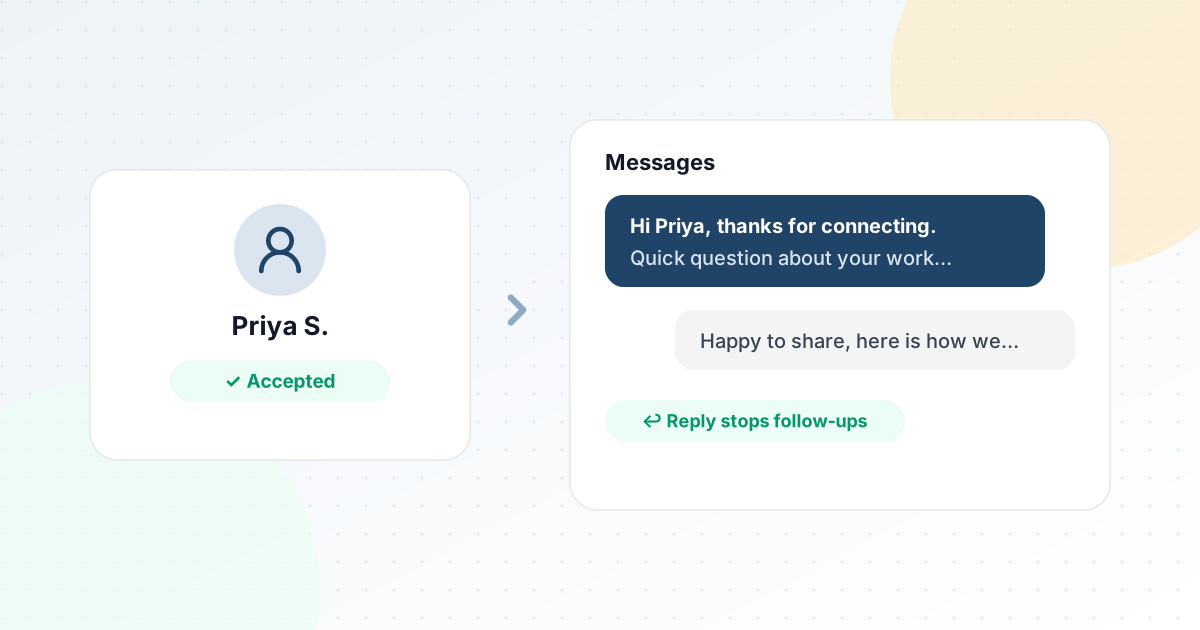
Hi Priya, thanks for connecting. I noticed you run outbound for a few B2B clients. Quick question: how do you keep track of who needs a follow-up when you're running several campaigns at once?
It's specific, it doesn't sell, and it's easy to answer. The reply tells you whether there's a real problem worth talking about.
How to time the follow-ups
Most people don't reply to the first message. That's not a rejection: they were busy, they read it on their phone and meant to answer later, or it got buried. A follow-up is often what turns a silent connection into a conversation, which is why the accept-triggered message should be the start of a short sequence, not a one-off.
A reasonable shape:
- First message: soon after they accept.
- Follow-up 1: about 3–4 days later, adding something new: a useful point, a different angle on the question, or a short example.
- Follow-up 2: about 4–5 days after that, if you have something genuinely useful to add.
- Final message: a short, polite close, such as "I'll leave it here, but if this becomes a priority later, happy to talk." It often gets more replies than you'd expect, because there's no pressure in it.
Two or three follow-ups is plenty. Every follow-up should stand on its own; "just bumping this up" adds nothing and trains people to ignore you. And whatever the schedule, it should stop the moment the person replies. For the full step order from first touch to reply, see our guide to building a LinkedIn outreach sequence.
Mistakes that make automated messages obvious
- Messaging people who haven't accepted. Messages should only go out once the connection is confirmed. Anything else either doesn't reach the person or turns into an InMail-style cold pitch.
- Sending everything at the same minute. Ten new connections receiving a message at exactly 9:00 a.m. is a pattern nobody types by hand. Messages should go out spread across your working hours.
- One template for everyone. If the same sentence goes to 200 people, a few of them will compare notes, and it reads as a form letter even when they don't. Having two or three versions of each message helps.
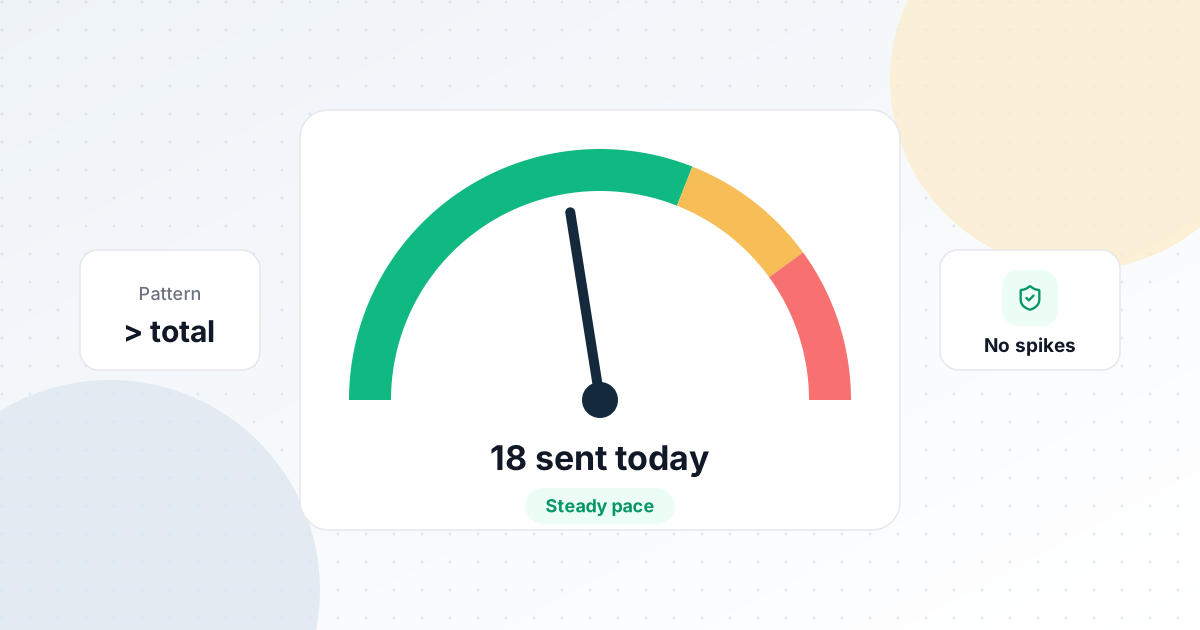
- Ignoring the daily total. Messages to existing connections are less sensitive than invitations to strangers, but the same principle applies: a steady daily amount, not bursts. Our guide on daily LinkedIn limits covers the numbers.
- Following up after a reply. This is the one that does real damage. If someone answered "not right now, thanks" and gets "just following up!" two days later, you've lost them for good.
How HootDM handles it
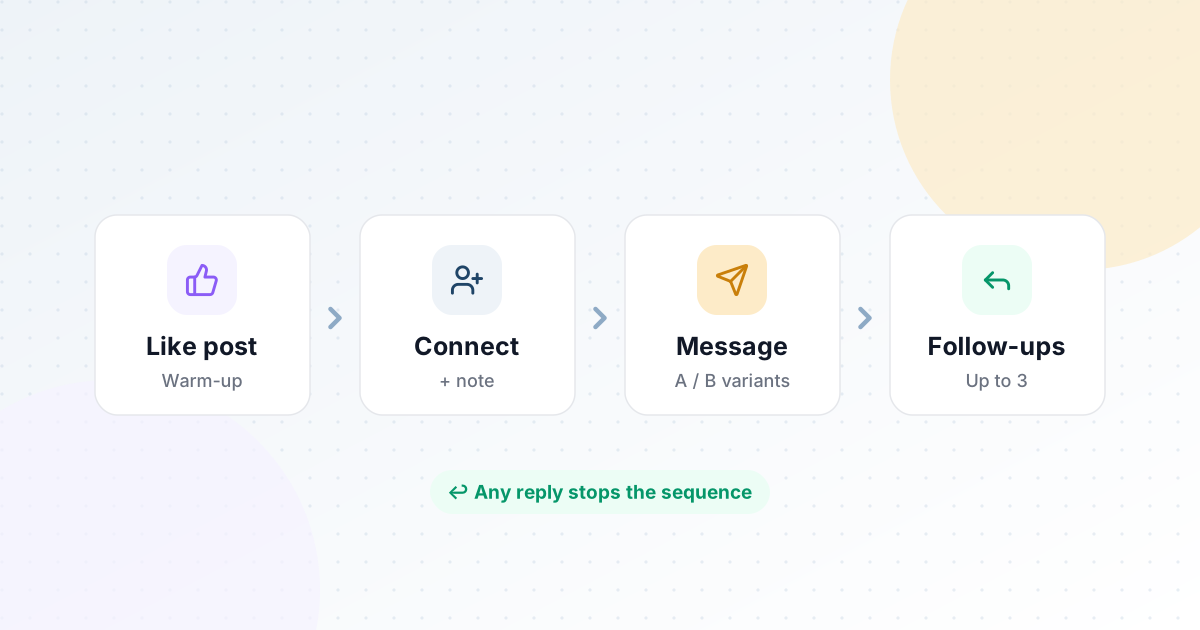
HootDM is built around exactly this flow. You set up a campaign once, and each lead moves through the same steps:
- Optional warm-up: HootDM can like one of the person's recent posts first, then send the connection request a couple of days later (2 days by default), so your name isn't completely new when the invitation arrives.
- Acceptance detection: HootDM checks your connections every few hours. When someone accepts, they move straight to the message step, and the first message goes out during your next working hours.
- Your own words: the message is one you write, with placeholders like
{{firstName}}. You can add several versions of each message and HootDM rotates them at random. - Up to three follow-ups: each one is optional, with its own delay in days (4 days by default).
- Stops on reply: HootDM checks your inbox every few hours. As soon as someone replies, whether to the message or something you typed by hand in LinkedIn, their remaining follow-ups are cancelled.
- Clean endings: people who don't accept within 14 days, or who don't reply a week after the last follow-up, are closed out with a clear reason, so your numbers reflect what's actually happening.
Everything runs inside your daily limits and working hours, in your timezone, with randomised gaps between actions, through your own logged-in browser. See the Campaign sequences page for the full step order, or Message templates for how variants work.
Common questions
Is it allowed to send automatic messages on LinkedIn?
LinkedIn's User Agreement doesn't allow third-party software that automates activity on the site, so any automation tool carries some risk, and you should decide with that in mind. What reduces the risk in practice is the pattern: modest daily numbers, actions spread over working hours, messages only to people who accepted, and stopping as soon as someone replies.
How soon after someone accepts should I message them?
Within a day or so works well: they still remember accepting, and the message doesn't look like it was fired off by a script the second they clicked. Sending during your normal working hours matters more than the exact delay.
Should the first message include a link?
Usually not. A link in the first message makes it look like a campaign, and some people won't click links from someone they've just met. Start a conversation first, then share a link when it answers something they asked.
How many follow-ups should I send?
Two or three, a few days apart, each adding something new. After that, a polite closing message and move on. More follow-ups rarely produce more replies, and they do produce more people who mute you.
Can I send the same message to everyone?
You can, but it works better with light personalisation and two or three versions in rotation. People notice when a message clearly went to hundreds of others, even if their first name is at the top.
Message new connections the moment they accept
7-day free trial. No credit card required.
Start free trial